Xuân Hiếu
Why it exists
You download a picture and get a .webp file your usual software will not open. Or you need a PNG for a slide, but the site only serves WebP or AVIF. What many people still do: download the image, find an online converter, upload it, and download it again.
Three steps for something that should take one. This extension folds them into a single right-click, and the image never passes through anyone's server.
How to use it
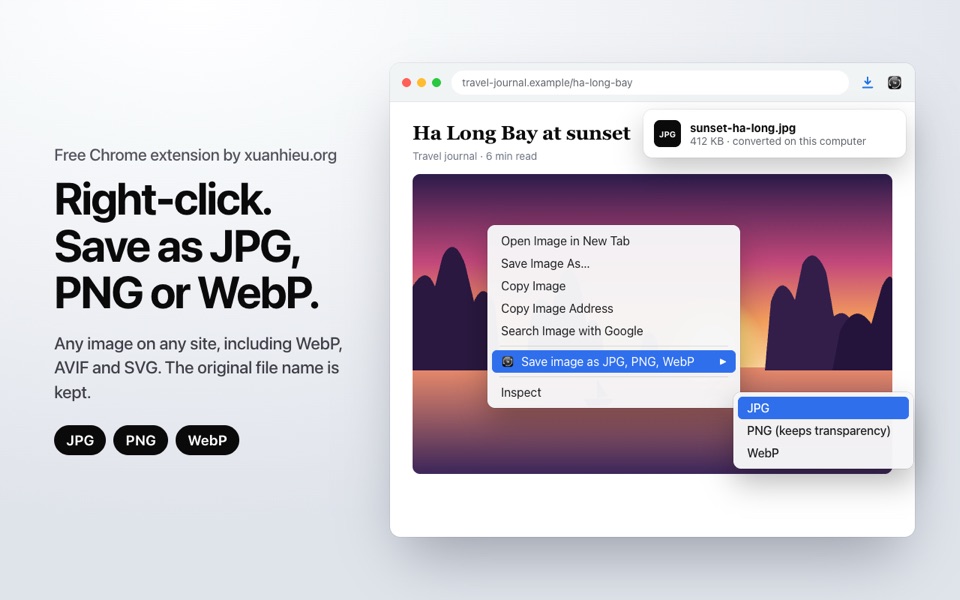
- Right-click any image on a web page.
- Choose Save image as JPG, PNG, WebP, then pick a format.
- The new image is in your Downloads folder with its original name:
photo.webpbecomesphoto.jpg.
What it does
- JPG at quality 92, with transparent areas on a clean white background instead of turning black.
- PNG is lossless and keeps transparency. WebP keeps transparency too.
- Reads any image Chrome can display, including AVIF and vector SVG.
- SVG logos and icons are rendered sharp, at least 1,024 px on the long side.
- Animated images are saved as a still of their first frame.
- If the image is already in the format you picked, the original file is saved untouched, not compressed again.
- File names stay readable, even for images served through a CDN or resized by the site.
What it does not do
- It never uploads images. Conversion uses the browser's own image engine. The only network request is the download of the image you chose, from the site that hosts it.
- No account, no ads, no tracking. The extension keeps nothing in its storage.
- It does not ask for access to every site. Only when an image server blocks extensions does it ask, in Chrome's own dialog, for that one host, and only if you agree.
Permissions
| Permission | Why |
|---|---|
| Context menu | Adds "Save image as JPG, PNG, WebP" to images |
| Downloads | Saves the converted image to Downloads |
| Offscreen document | Where the image is decoded and converted |
| Active tab | Reads the image you right-clicked, only at that moment |
| Image host access (optional) | Asked only when a server blocks the download, for that one host, removable any time |
Details are in the privacy policy.
Status
Runs on Chrome 116 or later, on Windows, macOS, Linux and ChromeOS. Version 1.0.0 is on the Chrome Web Store: click Add to Chrome and it is ready.
Feedback
If an image will not save, send the page link and the format you picked to mail@xuanhieu.org.